Back in January 2024 I launched the presale for my animation course, animations.dev. My goal was to eventually get to 1,000 students. At the time of writing this, more than 10,000 people have enrolled.
Seeing a ton of people advocating for the course, sharing it with others, and DMing me to say how much they love it, feels incredibly fulfilling and rewarding.


This article is a summary of me working on this course over the last 2 years. How I thought about its content, design, marketing, and more.
Let’s start with how I actually motivated myself to work on it.
The work
A fully custom educational platform with videos, exercises, a built-in code editor is a lot of work. Back in 2024 most of the things couldn’t have been handed off to LLMs, so it was even more work. So how do you actually motivate yourself?
A mistake I made previously with a project called ui.land was teasing that I was working on it. That made me less motivated to finish it, because just talking about it already felt rewarding enough.
This teaser was posted in December of 2021, but the project launched in January 2023. I know, embarassing.
What helped me the most though, is deliberately offering a presale for the course when I had zero content for it. That way I had to work on it. I set a public deadline and had to stick to it because people had already paid for it.
This is a good source of external motivation, as long as you can handle the pressure.

A course about how to craft animations that make people feel something.
It contains everything I know about motion on the web.
animations.dev
This announcement was made before any work on the course began.
The packaging
People love beautiful things, and while the main value of this course is the content, the look and feel, which I consider part of the packaging, also play a big role. That’s what creates the initial impression, which is obviously important.
I worked together with Nev Flynn on the logo. People often call good animations buttery smooth, so I thought using a butter cube would be a good idea.
This logo is used across the site in various forms. One interesting easter egg is that, as enrollment gets closer to closing, the butter cube melts a little more with each hour through animated SVG paths:
There’s also the hero section of animations.dev which contains a few animated illustrations. You can hover over them to see them animate, and some of them also respond to clicks.
Hover or click on them to see different interactions.
I’m especially proud of this hero section because a course student animated it, so it also serves as a nice example of what the course teaches you and enables you to do.
All of this can also extend to physical goods like stickers. Glenn and I have been thinking about it for a while. Maybe a few students who joined early could be rewarded with a sticker pack?
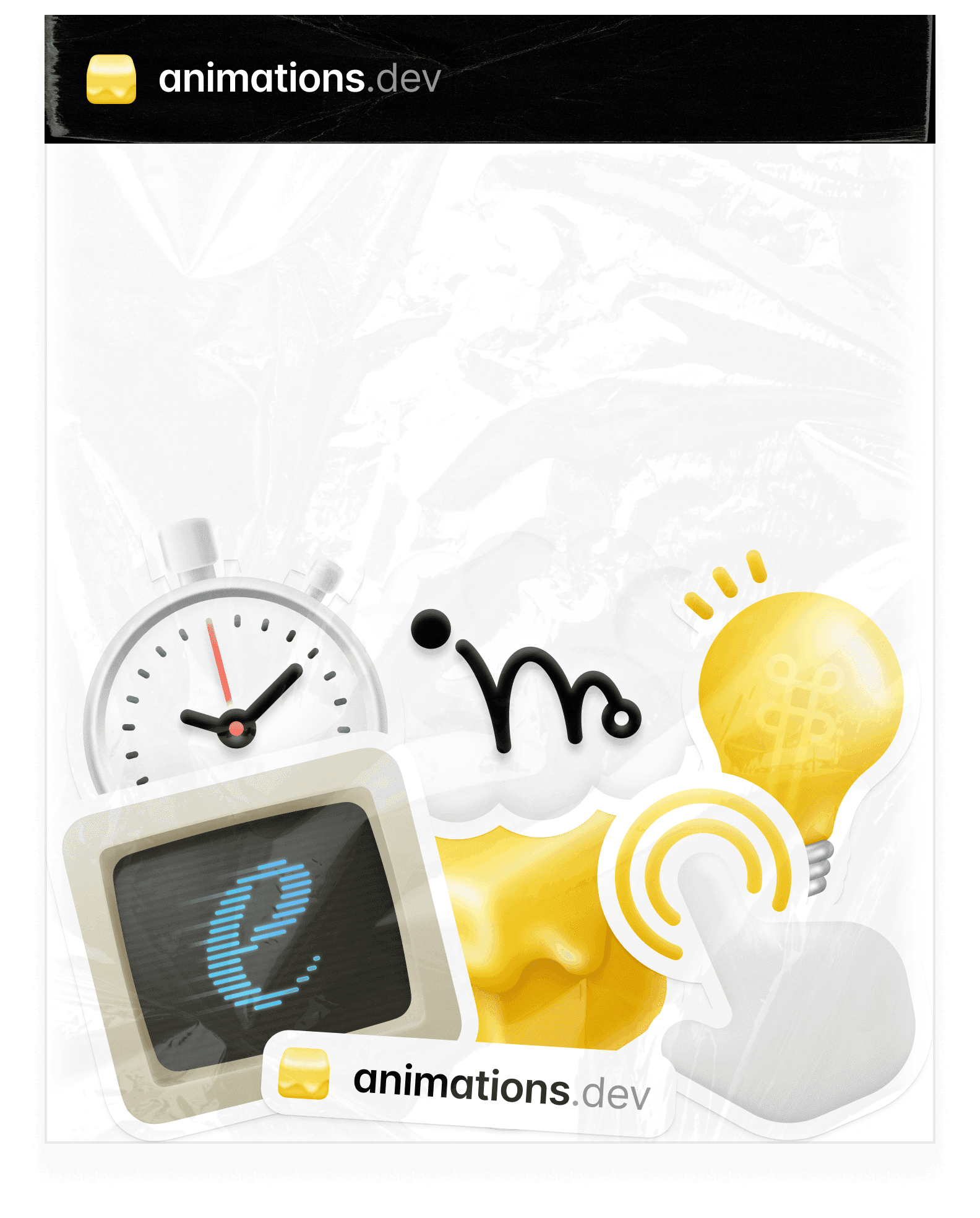
Another important aspect of the packaging is the onboarding, the first impression of the course itself. Upon enrolling, you are redirected to a welcome page that contains a customizable “Motion Passport”, your personal identifier:
This sets the tone of the course and shows the care you can expect from the rest of the content.
There are also lots of other ideas in the works. One of them is a set of animations.dev keycaps that Maxime and I are working on. This won’t be a lesson on 3D though, I’ll share more about it soon.
The course platform
To teach something as complex as animation effectively, I need a platform tailored to the topic. This allows me to build interactive demos, exercises, and other custom components, which makes the learning experience more engaging and effective.
Each lesson is packed with interactive demos. It’s essential that students play with the concepts I’m trying to explain. They need to feel the difference between good and bad, and the only way to do that is by experiencing it themselves.
A subtle scale down on press makes the interface feel more responsive.
It’s like touching a physical object to understand its texture. I could try and explain it to you, but you won’t understand it properly until you touch it yourself.
It’s useful for the technical portion of the course as well. The demo below is used in the SVG lesson, where you learn how to draw shapes. As you press the arrow, the shape is drawn progressively, showing you how each new command affects the SVG.
<svg viewBox="0 0 100 100">
  <path
    d=""
    stroke="hsl(47, 94%, 66%)"
    strokeWidth="1.5"
  />
</svg>It’s also just more fun. Nobody wants to read a dry wall of text if the subject is something as visual as animation. Students appreciate it too:

Another thing lots of people highlight about the course is the built-in code editor. It lowers the barrier to work on the exercises. It’s right there, you don’t have to clone a repo, set up a development environment, and so on.
A nice detail about this editor is that your code is automatically saved, so if you ever stop in the middle of an exercise, your progress won’t be lost.
"use client";

export default function ClipPathButton() {
  return (
    <button className="button">
      <div aria-hidden="true" className="hold-overlay">
        <TrashIcon />
        Hold to Delete
      </div>
      <TrashIcon />
      Hold to Delete
    </button>
  );
}

function TrashIcon() {
  return (
    <svg height="16" strokeLinejoin="round" viewBox="0 0 16 16" width="16">
      <path
        fillRule="evenodd"
        clipRule="evenodd"
        d="M6.75 2.75C6.75 2.05964 7.30964 1.5 8 1.5C8.69036 1.5 9.25 2.05964 9.25 2.75V3H6.75V2.75ZM5.25 3V2.75C5.25 1.23122 6.48122 0 8 0C9.51878 0 10.75 1.23122 10.75 2.75V3H12.9201H14.25H15V4.5H14.25H13.8846L13.1776 13.6917C13.0774 14.9942 11.9913 16 10.6849 16H5.31508C4.00874 16 2.92263 14.9942 2.82244 13.6917L2.11538 4.5H1.75H1V3H1.75H3.07988H5.25ZM4.31802 13.5767L3.61982 4.5H12.3802L11.682 13.5767C11.6419 14.0977 11.2075 14.5 10.6849 14.5H5.31508C4.79254 14.5 4.3581 14.0977 4.31802 13.5767Z"
        fill="currentColor"
      />
    </svg>
  );
}
Each exercise includes a video walkthrough of the solution, as well as a written version for those who prefer it. In total, there are more than 50 exercises in the course.
If you want to get a glimpse of how the platform looks like, you can sign up for the waitlist using the link below and get instant access to a few preview lessons:
Get free course previewAnimations and AI
The primary focus of the content is to teach you how to design great animations, how to choose the right easing curves, duration, etc. Something AI is not great at.
The goal is to help you develop your intuition, as that’s going to be the biggest differentiator in a world where software is abundant. The right judgement is key.
“In a world of scarcity, we treasure tools.
In a world of abundance, we treasure taste.
But there’s also the coding part, hence the code editor. While the latest models are great at coding, who clearly understand the code will be even more leveraged. Understanding how the code works is still extremely valuable.
With that said, I can’t deny the power of AI and the course has to lean into it. That’s why in the “Animations and AI” module, students get a SKILL.md file that they can feed to coding agents. Here’s a quick demo:
It contains the knowledge taught in the course, which can then be used to build animations with you or for you. This gives you immediate value, even before you go through the course yourself. Here’s a snippet from the skill file:
## Easing Decision Flowchart

Is the element entering or exiting the viewport?
├── Yes → ease-out
└── No
    ├── Is it moving/morphing on screen?
    │   └── Yes → ease-in-out
    └── Is it a hover change?
        ├── Yes → ease
        └── Is it constant motion?
            ├── Yes → linear
            └── Default → ease-out
Choosing the right easing has never been easier.
It can review your animations, suggest improvements, build animations for you, and basically answer all your motion-related questions based on my experience gathered over the years at companies like Vercel and Linear. Students really enjoy it:

I also created a skill file based on my blog posts here. While the animations.dev skill consists of multiple files and is a lot more nuanced, this one will still help you build better interfaces:
Get the skill fileBonus features
The course’s main value is obviously the content itself, but there are also bonus features that students can learn from.
One of them is the Vault: a collection of highly curated resources that have helped me over the years. It includes articles, videos, personal websites, and more.
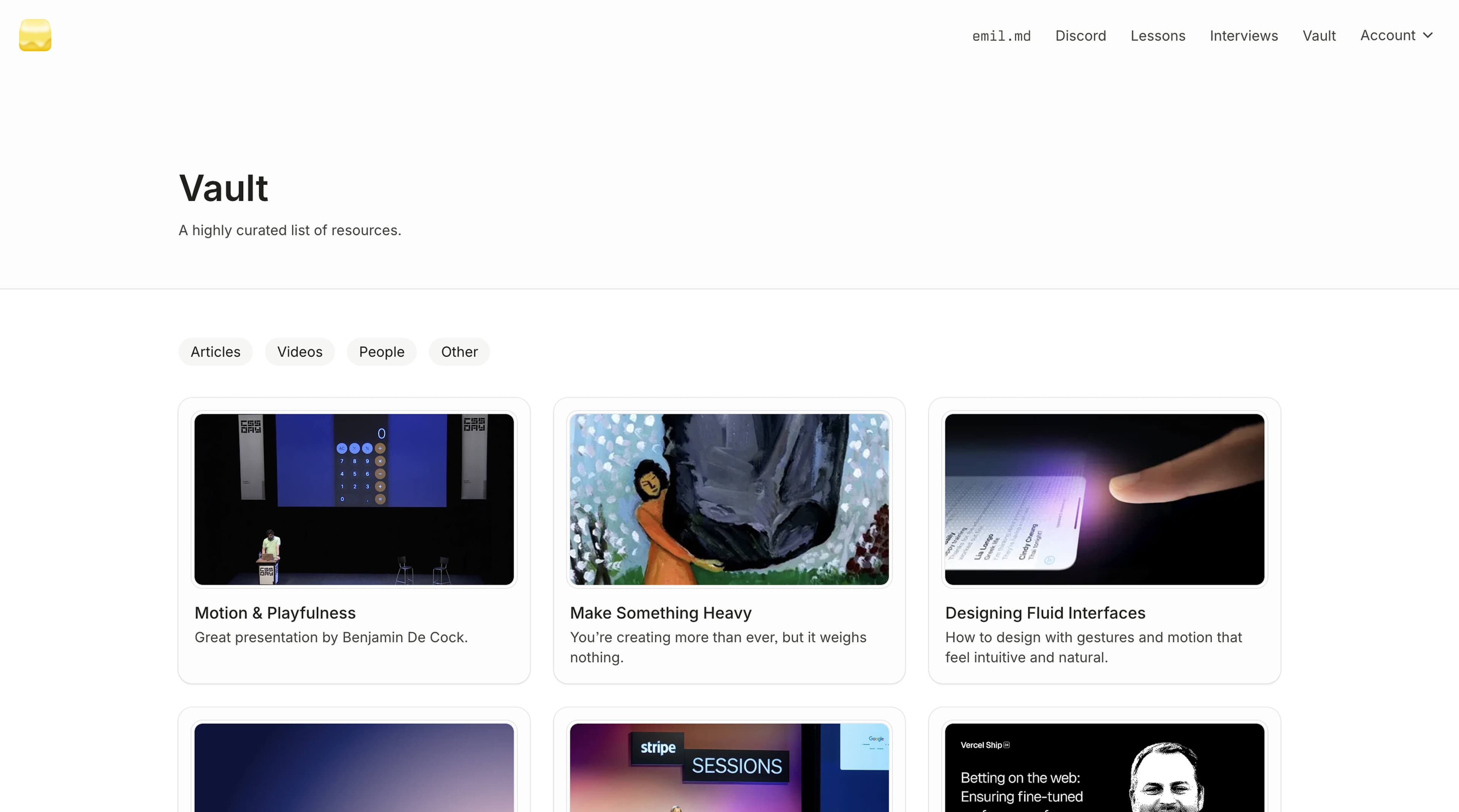
There’s also a series of interviews with great designers and engineers from companies like Vercel, Family, and Fey, as well as a set of 18 custom easings that I use in my own projects.
Interviews with experts on animations, design, and more.



A set of 18 custom easing functions that I use in my animation work.
The thing that people love the most though are free updates with each enrollment. This way students can keep learning new things and the course won’t die out as it’s not a snapshot in time, but rather a living entity that evolves.

That’s how the “Animations and AI” lesson we talked about earlier was born. The skill file included in that lesson is also free as part of the ongoing updates.
Updates don’t just have to mean new content, though. Over time, I learn not only new things about animation, but also how to teach it more effectively. As a result, I’ve fully refreshed the theory module in the past, for example.
To document all the updates, I created a changelog page.
The marketing
If you create great things, and make sure a few people see them, word will spread. People love sharing things they like with others. And this type of organic marketing is the best kind. This happened to Sonner, Vaul, and now this course.

 Emil Kowalski@emilkowalski· Dec 27, 2023Theo just made a great ad for Sonner
People naturally share things they like with others.
I’ve built my entire career in tech on this premise. I try to make things I’d be proud of, and I try to go the extra mile to make them great. It won’t always work, but there’s no point in making something mediocre, so I want to try to make beautiful things.
Every time I open the enrollment, lots of people talk about how much they like it. If someone asks whether the course is worth it, other people reply with positive reviews, they do the marketing for me.
Here’s an example of it. Ryan posts a tweet that he is going to enroll in the course, and there are multiple people telling him how much he will love it, to the point where it almost feels like it’s a paid ad.


You have to create a product that people just can’t stop talking about. It’s a win for everyone. Students get value out of the course, I get to help more people, and the course itself gets more exposure.
Try it out yourself
If you are curious how the course looks like you can sign up for the waitlist, you’ll get a few preview lessons which you can check out right away. And you’ll also get some tips sent to your inbox every two weeks.
Check out animations.dev